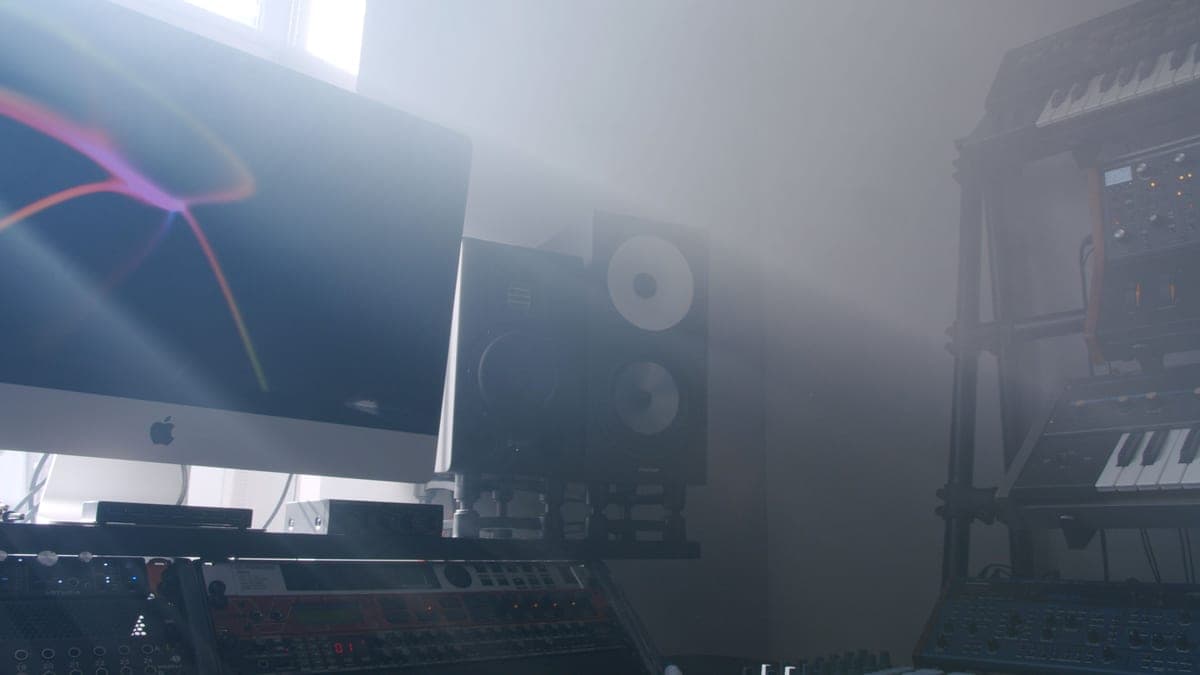
The IsoAcoustics ISO-155 is the pick: 3.0 to 8.3 inches of height adjustment, up to 6.5 degrees of tilt, and a 40 lb capacity that covers every monitor on this site. Decoupling the cabinet and getting the tweeter on axis are the two cheapest real improvements available to any monitoring setup.
Two separate problems, one product
Coupling. A monitor resting directly on a desk transmits cabinet vibration into the desk surface, which then radiates it. The result is a low-mid resonance whose frequency is set by your desk, not your speaker, and no EQ removes it because you are fighting a second sound source.
Axis. A tweeter's response is measured on axis. Sitting below your ears, you hear the off-axis response — which rolls off the top end and shifts the crossover region. That is a tone control you did not choose, applied permanently to every mix decision.
A height-and-tilt isolation stand solves both at once, which is why it is a better first purchase than a better speaker. If you have monitors sitting flat on a desk right now, this is the highest-value upgrade in this hub.
The stand, and two monitors worth putting on it
The isolation stand, plus the two monitors from our roundup that most benefit from getting off the desk — both are small enough that desk placement is the usual default and the usual mistake.
IsoAcoustics ISO-155
Top pickIsoAcoustics · Getting a desk monitor to ear height and off the desk
The highest-value upgrade in this hub if your monitors currently sit flat on the desk: on-axis and decoupled beats a better speaker sitting wrong. It is not a substitute for treatment.
Why it is here
- Decouples the cabinet from the desk, which removes a resonance you cannot EQ out
- Height and tilt adjustment gets the tweeter on axis with your ears, which matters more than the speaker choice
- 40 lb capacity covers every monitor on this site
What it costs you
- Costs a real fraction of a budget monitor pair
- Takes desk depth you may not have
- Does nothing for room modes — this is a coupling fix, not an acoustics fix
Yamaha HS5
Yamaha · The flat midrange reference for a small room
The right monitor for an untreated or lightly treated small room, precisely because it does not pretend to have low end your room could not reproduce honestly anyway. If you need to hear below 74 Hz, add a treated room before you add a bigger speaker.
Why it is here
- The honest -3 dB figure of 74 Hz tells you what it will not do, which is rarer than it should be
- Midrange is flat and unflattering, which is the entire job of a monitor
- Small enough to sit at ear height on a desk without dominating the room
What it costs you
- Nothing below about 74 Hz, so you mix low end by trust rather than by ear
- Unforgiving — a rough mix sounds rough, which some people hate
- Rear port needs clearance from the wall
JBL 305P MkII
JBL · The widest usable sweet spot at the price
The right monitor when your listening position is not, and cannot be, the textbook equilateral triangle. If you can sit properly centered, the HS5's flatter midrange is the more useful reference.
Why it is here
- 49 Hz at +/-3 dB from a 5-inch driver is a genuinely good result
- The waveguide gives a wide, stable sweet spot, which forgives a desk you cannot center yourself at
- Magnetically shielded, so it can sit beside a monitor without buzzing
What it costs you
- 108 dB peak SPL is the lowest headroom in this group
- Slightly hyped low end compared with the HS5's flat presentation
- Plastic cabinet
What we did not pick, and why
- Foam pads alone. They decouple, which is genuinely worth something, but they add almost no height and no tilt. If your tweeter is already at ear height they are a reasonable cheap option; otherwise they solve half the problem.
- Floor stands. Excellent in a room where the monitors are not on a desk, and irrelevant in the desk-based setup most people actually have. If you have the floor space, they are the better answer.
- DIY stacks of books or bricks. They add height, and they couple the cabinet to a rigid mass that radiates. Better than nothing, worse than a decoupler.
- Stands without a published load rating. Weight is the whole specification. A stand that does not state its capacity is not a stand you can plan around.
Getting it right costs nothing extra
- Set the height so the tweeter — not the middle of the cabinet — is level with your ears when seated normally.
- Use tilt only if height alone cannot get the tweeter on axis. Tilt is the second-best tool.
- Keep both stands at identical settings. An asymmetric pair shifts your stereo image.
- Pull the cabinets away from the wall behind them, and check whether your monitors have a boundary EQ switch — both Kali models do.
- Then read studio monitor placement for the triangle and the reflection points.
Pair it with
- Panels at the first reflection points. A correctly placed monitor still sends energy at your side walls. Best acoustic panels.
- Corner traps. Best bass traps — the low-frequency half of the same problem.
- A headphone cross-reference. Best headphones for mixing.