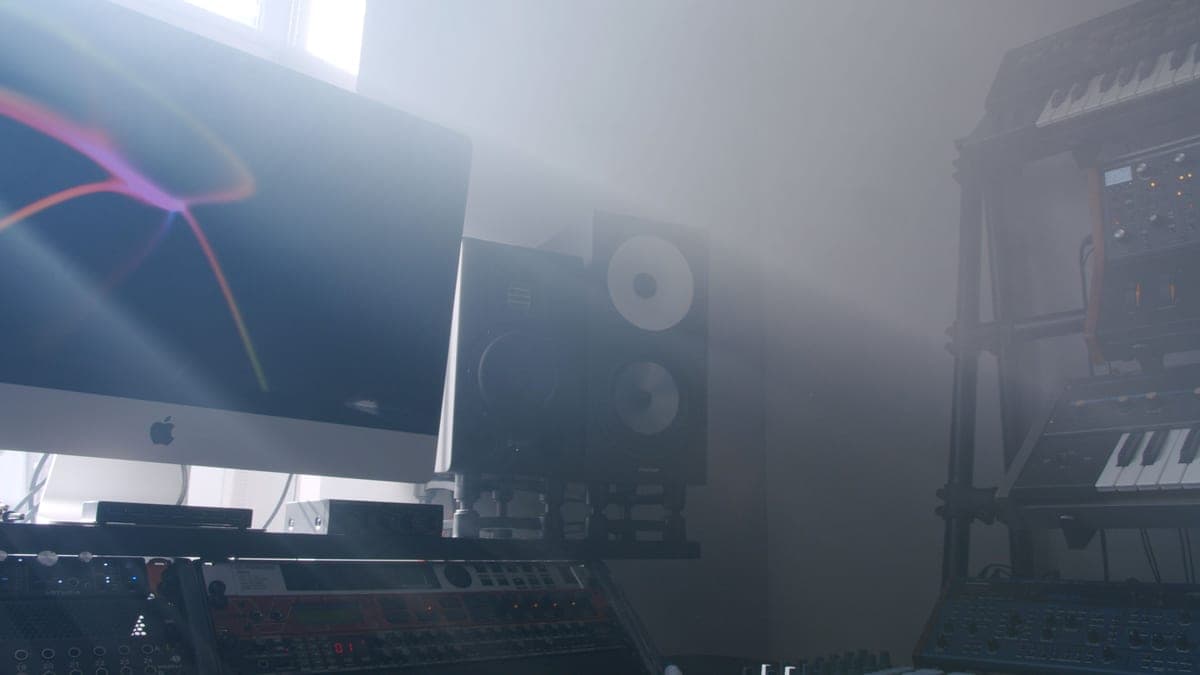
The Yamaha HS5 is the right monitor for most small untreated rooms, precisely because its honest 74 Hz at -3 dB does not pretend to produce low end your room could not reproduce reliably anyway. The Kali Audio LP-6 V2 is the best value if you set its boundary EQ correctly and have corner treatment.
Notice that only three of the six publish both figures. When a manufacturer publishes only the -10 dB number, treat it as marketing rather than specification — you cannot compare it against a +/-3 dB figure from someone else. We have not converted between them, because there is no honest conversion.
The six monitors, ranked
Each card carries the published figures with a source link, and states plainly how the speaker behaves in a small room rather than in an anechoic chamber.
Yamaha HS5
Top pickYamaha · The flat midrange reference for a small room
The right monitor for an untreated or lightly treated small room, precisely because it does not pretend to have low end your room could not reproduce honestly anyway. If you need to hear below 74 Hz, add a treated room before you add a bigger speaker.
Why it is here
- The honest -3 dB figure of 74 Hz tells you what it will not do, which is rarer than it should be
- Midrange is flat and unflattering, which is the entire job of a monitor
- Small enough to sit at ear height on a desk without dominating the room
What it costs you
- Nothing below about 74 Hz, so you mix low end by trust rather than by ear
- Unforgiving — a rough mix sounds rough, which some people hate
- Rear port needs clearance from the wall
Kali Audio LP-6 V2
Kali Audio · The most low end per dollar, with boundary EQ
The best value here if you set the boundary EQ honestly and have corner traps in. In a bare bedroom with the switches left at default, the extra low end makes your mixes worse, not better, and the HS5 is the wiser buy.
Why it is here
- 47 Hz at +/-3 dB is real low end, not a marketing figure
- Boundary EQ switches on the back are the only honest answer to a speaker jammed against a wall
- 115 dB max SPL means huge headroom for a desk speaker
What it costs you
- That low-end reach is a liability in an untreated room — you will chase room modes, not mix decisions
- 6.5-inch driver in a small room needs the boundary EQ set correctly or it is worse than an HS5
- Paper cone is more fragile than the alternatives
JBL 305P MkII
JBL · The widest usable sweet spot at the price
The right monitor when your listening position is not, and cannot be, the textbook equilateral triangle. If you can sit properly centered, the HS5's flatter midrange is the more useful reference.
Why it is here
- 49 Hz at +/-3 dB from a 5-inch driver is a genuinely good result
- The waveguide gives a wide, stable sweet spot, which forgives a desk you cannot center yourself at
- Magnetically shielded, so it can sit beside a monitor without buzzing
What it costs you
- 108 dB peak SPL is the lowest headroom in this group
- Slightly hyped low end compared with the HS5's flat presentation
- Plastic cabinet
Adam Audio T5V
Adam Audio · Detail at the top, from a ribbon tweeter
Buy it if your work is voice and acoustic material where sibilance and reverb decisions matter, and you will listen at moderate levels. If you mix loud, or find bright speakers tiring, the HS5 is the safer reference.
Why it is here
- The ribbon tweeter resolves reverb tails and sibilance detail a dome cannot
- 45 Hz from a 5-inch cabinet is excellent
- Response to 25 kHz means no audible top-end rolloff at all
What it costs you
- That top-end detail is fatiguing over a long session until you adapt to it
- 20 W on the tweeter is modest if you mix loud
- Ribbon tweeters are less robust than domes if you clip them
Kali Audio IN-5
Kali Audio · A coincident three-way at a two-way price
The pick if you sit close, move around while working and want a stable stereo image — that is exactly what coincident drivers buy. If your room is untreated, spend the difference on panels first; the IN-5 will not out-engineer your walls.
Why it is here
- The coincident mid and tweeter share an acoustic center, so the image does not move as you do
- Crossing over at 280 Hz keeps the woofer out of the vocal range entirely
- 160 W tri-amped, with the same boundary EQ as the LP-6
What it costs you
- Three-way complexity in a small room is often solving a problem the room is causing
- Deep cabinet needs a proper stand, not a desk edge
- Meaningfully more money than the LP-6 for the same published bandwidth
KRK Rokit 5 G4
KRK · Onboard DSP room correction presets
Reasonable if the DSP presets genuinely match your placement and you cross-check mixes on headphones. As a sole reference, the flatter HS5 or 305P MkII will teach you more about your own mixes.
Why it is here
- 43 Hz is the deepest published figure of the 5-inch group here
- Onboard DSP presets address desk and wall placement without external hardware
- Kevlar drivers are physically tough
What it costs you
- 104 dB max SPL is the lowest headroom here
- The Rokit voicing is historically flattering rather than flat — mixes translate less predictably
- 55 W is modest for the claimed bandwidth
What we did not pick, and why
- Anything with an 8-inch woofer. In a room under roughly 150 square feet the extra output below 60 Hz excites room modes rather than revealing detail. 5-inch or 8-inch covers the arithmetic.
- Monitors with a pronounced bass lift. A flattering speaker makes you under-mix low end, and the mix collapses everywhere else. That is why the KRK is ranked last here rather than on its published bandwidth.
- Subwoofers. In a small untreated room a subwoofer adds energy exactly where the room is least predictable. Do you need a subwoofer.
- Monitors above this price band. They are better, and almost none of the improvement survives an untreated room. The money belongs in treatment first.
- Bluetooth or 'studio-style' desktop speakers. Wireless transmission and consumer voicing are both disqualifying for mix decisions.
Pair it with
- Stands or isolation pads, not the desk. A monitor coupled to a desk has a resonance you cannot EQ away. Best studio monitor stands.
- Bass traps in the corners. The single biggest improvement available to any monitoring setup. Best bass traps.
- Balanced cables from your interface. Best audio interfaces for a home studio — you need balanced outputs, not a headphone jack.
- A headphone cross-reference. Best headphones for mixing, because in a small room you need a second opinion on low end.
How to choose
- Measure your room. Under about 150 square feet, take a 5-inch monitor and do not agonize.
- Be honest about treatment. Nothing on the walls means take the HS5 and spend the difference on panels. Corner traps in means the LP-6 V2's extra reach becomes usable.
- Check your listening position. If you cannot sit centered in a proper triangle, the JBL 305P MkII's waveguide gives the widest usable sweet spot here.
- Consider what you work on. Voice and acoustic material benefits from the T5V's ribbon tweeter detail; loud mixing does not, because its tweeter amp is only 20 W.
- Then set the boundary EQ, if your monitors have it. Both Kali models do, and leaving it at default against a wall undoes the advantage you paid for.