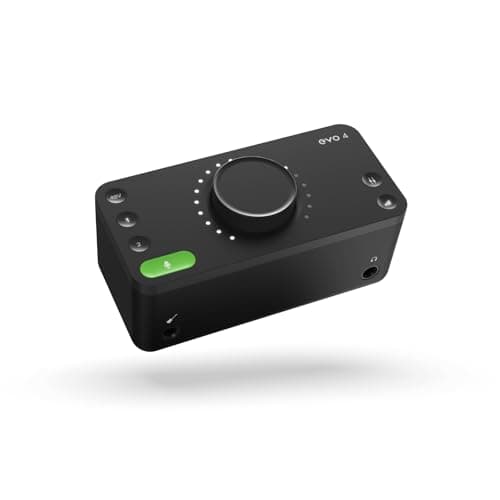
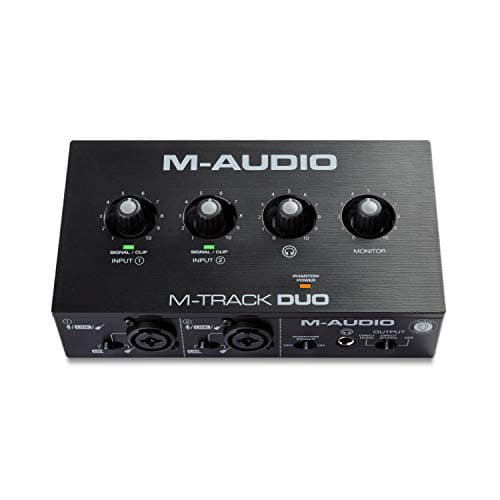
The Audient EVO 4 is the best first interface: 58 dB of mic gain across two inputs, and a Smartgain button that sets your levels for you - which removes the single most common beginner failure, a recording that is too quiet to rescue. The budget pick is the M-Audio M-Track Duo at a published 54 dB, the cheapest box here that gives you two inputs and 48 V phantom power.
Almost every bad first recording comes from one of three mistakes, and none of them is about audio quality. The level was set too low, so the file is thin and noisy when you turn it up. The microphone needed more gain than the box could supply. Or the drivers fought with the computer and the latency made it unusable. A first interface should be chosen on how well it protects you from those three things.
The gain column is the one to read against your microphone, and the level-help column is the one that matters on your first evening. Smartgain and Auto Gain do the same job by different routes: you talk at your normal volume for a few seconds and the box sets the preamp. It is not a gimmick for a beginner - it is the difference between a first session that works and one that ends with a recording you cannot use.
The five interfaces, ranked for a first purchase
Each card carries the published figures with sources, the live price with the date it was checked, and who should choose something else.
Audient EVO 4
Top pickAudient · Anyone who keeps getting gain-staging wrong
The pick for a second host on a budget, or for anyone whose recordings keep coming back too quiet. Not the pick if your mic is an SM7B, where the gain ceiling forces a booster.
Why it is here
- Smartgain removes the single most common beginner mistake in one button
- Two mic preamps at the price of most one-input boxes
- Genuinely small and bus-powered
What it costs you
- 58 dB again falls short of an SM7B's appetite
- Single encoder for everything means more button-pressing than knob-turning
- Plastic build
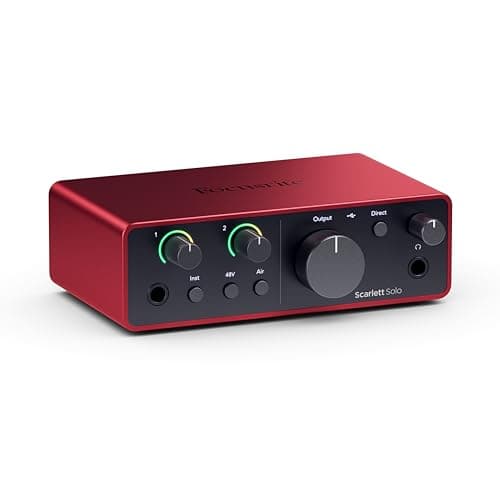
Focusrite Scarlett Solo (4th Gen)
Focusrite · One microphone, one guitar, nothing else
Fine with a hot mic like an MV7+, a BP40 or an SM58. Do not pair it with an SM7B unless you are also buying a booster, and at that point the 2i2 is cheaper overall.
Why it is here
- Same converter generation as the 2i2 for less money
- A dedicated instrument input means mic and guitar at once
- Small enough to live permanently on a crowded desk
What it costs you
- One mic input is a hard ceiling — a guest means a new interface
- Historically the interface people pair with an SM7B and then wonder why it hisses
- No MIDI
Focusrite Scarlett 2i2 (4th Gen)
Focusrite · The most gain per dollar in a two-input box
The default answer for someone buying an SM7B or PodMic: it supplies enough clean gain that you never need a booster, which makes it the cheaper total purchase even when it is not the cheaper box. Look elsewhere only if you need MIDI or four outputs.
Why it is here
- 69 dB is the most gain of any interface at this price, and enough for an SM7B with headroom to spare
- 120 dB dynamic range means the converters are not the weak link
- Two inputs, so a second person does not mean a second purchase
What it costs you
- Air mode is a fixed voicing, not an EQ you can dial
- Plastic-and-metal build feels less solid than the SSL or Audient competition
- No MIDI, which matters if you also play keys
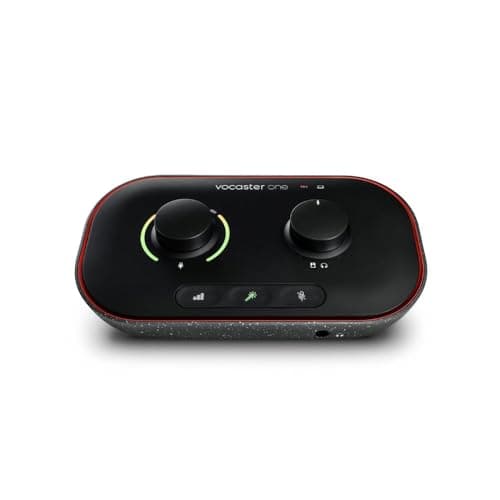
Focusrite Vocaster One
Focusrite · A solo host who does not want to set levels
The pick for a solo podcaster who wants the gear to get out of the way. If you record music as well as speech, a general-purpose interface with the same gain is the better buy.
Why it is here
- `70 dB` of gain means any microphone on this site works without a booster
- Auto Gain removes the single most common beginner mistake in one button press
- Stereo loopback plus phone and camera connections, which is the actual podcast workflow
What it costs you
- 24-bit / 48 kHz only, and no instrument input — it is a speech box and nothing else
- The three Enhance presets are printed into the recording
- One microphone input; a co-host means the Vocaster Two
M-Audio M-Track Duo
M-Audio · Two inputs for the price of most single-input boxes
The cheapest way to record two microphones at once, with the large caveat that only one of you can monitor. For a serious two-person setup the headphone count matters more than the price.
Why it is here
- Two combo preamps under $100, which is close to unique
- Same published `54 dB` gain figure as the Solo
- Bus powered, so a second voice costs you nothing in desk space
What it costs you
- One headphone output, so the second person cannot hear themselves
- 16-bit conversion
- `54 dB` rules out the low-output dynamics most podcasters want
How these are ranked
- Published mic gain. The one specification that decides whether your microphone will work at all. Where a manufacturer does not publish a figure, this page says so rather than estimating one.
- Automatic level setting. Smartgain or Auto Gain, because getting levels wrong is the most common and most unrecoverable beginner mistake.
- Two inputs over one. A second input costs very little and is the difference between recording alone forever and recording a guest, a guitar or a second microphone.
- Driver quality and class compliance. A box that works on your computer without a download is a box that cannot fight your computer.
- Buyable now, with a live listing and a price from the daily price check when this page was written.
What we did not pick, and why
- The cheapest interface on the shelf. The Behringer UMC22 is honest about what it is - 16-bit / 48 kHz conversion and no published gain figure - and a first interface that you cannot plan a microphone purchase around is a false economy. Are cheap audio interfaces worth it is the honest version.
- A four-channel box. More inputs than a beginner needs, more money, and more to get wrong. Best 4-channel audio interfaces is there when you need it.
- A podcast console. A RodeCaster Pro II is a superb machine and the wrong first purchase - it is an instrument in its own right. RodeCaster Pro II vs Zoom PodTrak P4.
- A USB microphone instead. Simpler on day one, and it folds the preamp and converter into the microphone, which is the part you would most want to upgrade. USB vs XLR microphones.
- Thunderbolt interfaces. Lower latency than you need at this stage, for considerably more money. Are Thunderbolt audio interfaces worth it.
What to buy alongside it
- A microphone your interface can actually drive. Best XLR microphones under $200 is the matching tier, and every card there lists the gain it needs.
- One XLR cable. Not the cheapest one in the bin, and not a boutique one either: best XLR cables.
- Closed-back headphones, so the microphone does not hear your monitoring. Best headphones for podcasting.
- Something to hold the microphone off the desk. Best boom arms for microphones.
- Two acoustic panels, before any upgrade. Best acoustic panels improves a beginner recording more than any interface on this page.
Pair it with
- The tier view, if the budget is the constraint. Best audio interfaces under $100 and under $200.
- The gain arithmetic, in one page. How much clean gain do you need.
- The question underneath all of this. Do I need an audio interface.
- The home studio view. Best audio interfaces for a home studio.
If you already know you want two microphones in the room eventually, buy the two-input box now rather than later - the price difference between a Solo and a 2i2 is far smaller than the cost of replacing one with the other. Audient iD4 vs Audient EVO 4 is worth reading if you are weighing this page's winner against the better-sounding single-preamp box above it.