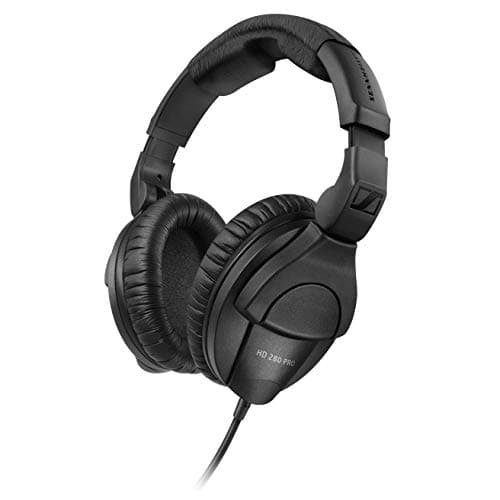
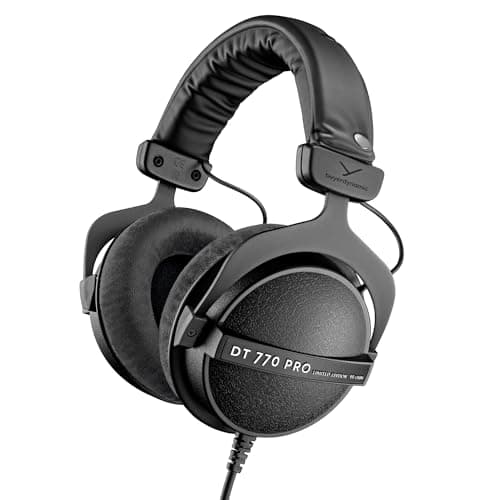
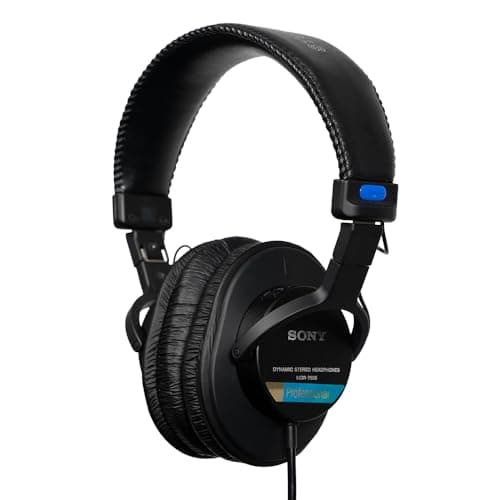
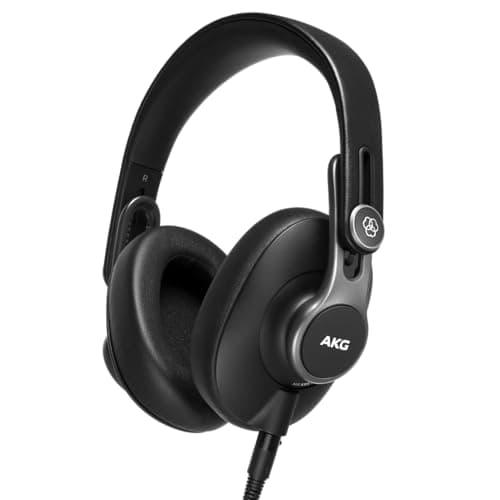
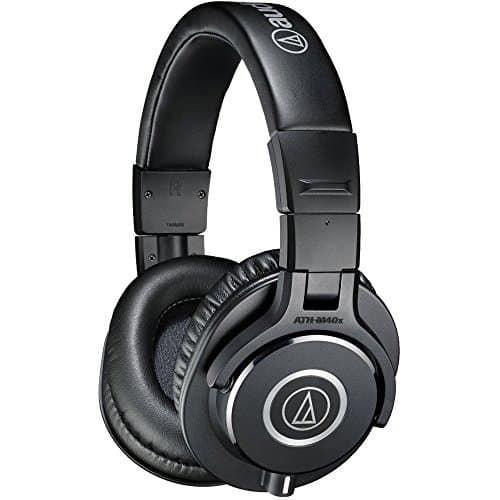
The Sennheiser HD 280 Pro is the pick for podcasting: it is the only headphone in this category that publishes an isolation figure - 32 dB of ambient attenuation - which is exactly the specification that decides whether your microphone hears your own monitoring. At 64 ohms it runs happily from any interface headphone output. The budget pick is the Audio-Technica ATH-M40x at 35 ohms, the cheapest closed-back here with a flat enough voicing to make editing decisions on.
A podcast is recorded with a live microphone inches from your ears, which rules out everything open-backed and makes bleed - not frequency response - the specification that matters. If your headphones leak, the microphone records a quiet, delayed copy of your guest's voice alongside your own, and no amount of editing removes it cleanly. Everything else about a podcasting headphone is secondary to that.
The impedance column matters more than it looks on a podcast, for a practical reason: you will often be driving four pairs from one interface or recorder. A 35 to 64 ohm headphone runs loud from any headphone output, including the four on a Zoom PodTrak P4. The DT 770 Pro at 80 ohms is the most demanding here, which is fine from an interface and worth knowing if your plan involves a splitter.
The five headphones, ranked for podcasting
Each card carries the published figures with sources, the live price with the date it was checked, and what the headphone is not for.
Sennheiser HD 280 Pro
Top pickSennheiser · The only published isolation figure in the category
Buy them when leakage is the actual problem — a loud headphone mix, a noisy room, a condenser two feet away. Do not buy them as your only pair if you also mix, because the voicing will mislead you.
Why it is here
- 32 dB of attenuation is the highest published figure on this page, and almost nobody else publishes one at all
- 64 ohms with a 113 dB maximum SPL plays loud from any interface output on this site
- Costs a fraction of the Beyerdynamic picks while isolating better than either
What it costs you
- Strong clamping force that most people find uncomfortable before the second hour
- Mid-forward and bass-shy voicing — these are a tracking tool, not a mixing reference
- The coiled cable is captive, so a cable fault is a repair rather than a swap
Beyerdynamic DT 770 Pro (80 ohm)
Beyerdynamic · Tracking with a live mic in the room
The right headphone for recording, where leakage is the problem you are solving. For mixing decisions, an open-back pair will tell you more truth about depth and reverb.
Why it is here
- Closed-back, so nothing leaks into an open microphone two feet away
- 80 ohms drives properly from any interface headphone output on this site
- Every wear part is a user-replaceable spare, which is why these last a decade
What it costs you
- A lifted top end that flatters detail and misleads on sibilance decisions
- Closed-back soundstage narrows your sense of reverb depth
- Velour pads get warm over a long session
Sony MDR-7506
Sony · The broadcast standard for hearing problems
Buy them as the pair you check edits and noise on, not the pair you mix on. If you only own one set of headphones, the K371 is the better choice.
Why it is here
- Forward, slightly harsh presentation that makes clicks, hum and sibilance obvious
- 63 ohms drives from anything, including a camera
- Decades of parts availability and a price that has barely moved
What it costs you
- Not flat, and not pleasant — this is a fault-finding tool
- Coiled cable is fixed, not detachable
- Thin pads that flake with age
AKG K371
AKG · The closed-back that measures closest to a target curve
The best single-pair compromise on this site: closed enough to track with, flat enough to make real mix decisions on. Choose the DT 770 instead if durability matters more than measured flatness.
Why it is here
- Independently measured as one of the flattest closed-backs at any price
- 36 ohms and 117.9 dB SPL means anything drives it loudly
- Folds flat, with three detachable cables
What it costs you
- Plastic build that does not inspire the confidence a DT 770 does
- Clamping force is light, so it moves if you do
- Closed-back still compresses your sense of reverb depth
Audio-Technica ATH-M40x
Audio-Technica · The flat-voiced budget closed-back
The one to buy if money is tight and you want a closed-back that does not lie to you about low end. Step up to the DT 770 Pro when isolation or longevity starts costing you takes.
Why it is here
- Voiced far flatter than the ATH-M50x it sits below, which makes it the better monitoring choice of the two
- 35 ohms and a 1,600 mW power handling figure means nothing you own will struggle or damage it
- Two detachable cables in the box, one coiled and one straight
What it costs you
- Isolates less than the DT 770 Pro or the HD 280 Pro, so a loud headphone mix can still leak
- Pads are shallow and compress within a year of regular use
- Audio-Technica publishes no attenuation figure for it either
How these are ranked
- Isolation, where it is published. The one specification that decides whether a live microphone hears your monitoring. A published figure ranks above a design claim.
- Impedance, against real interface headphone outputs. Low impedance plays loud from anything, which matters when several pairs come off one box.
- A voicing you can make decisions on. You will edit on these as well as record on them, so a flat closed-back ranks above a bass-lifted one - the AKG K371's measured proximity to a target curve is the reason it is here.
- Comfort over a long session and whether the cable is replaceable. A podcast is two hours in one sitting, and a fixed cable is the usual cause of death in this category.
- Buyable now, with a live listing and a price from the daily price check when this page was written.
What we did not pick, and why
- Anything open-backed. The best mixing headphones in this registry are open-backed, and they leak by design - which is the single thing a podcasting headphone must not do. Best open-back headphones for mixing is where they belong.
- Noise-cancelling headphones. Active cancellation adds latency and alters the response, and it fights what you need to hear - your own voice and your guest. Passive isolation is the right tool.
- Wireless headphones. Latency makes monitoring your own voice unusable, and a flat battery mid-recording is a wasted session.
- A gaming headset with a boom mic. The headphone side is usually bass-lifted and the microphone is the part you are replacing. Best broadcast microphones.
- Earbuds. They isolate well and they will not survive the session, and most importantly you cannot hear plosives and sibilance on a 12 mm driver well enough to catch them while recording.
How to use them while recording
- Monitor yourself from the interface, not the computer. Direct monitoring has no round-trip latency, so your own voice does not arrive late in your ears - which is the single most distracting thing in a first recording.
- Keep the level below where the cups leak. Isolation works both ways and leakage is level-dependent. If your microphone can hear your headphones, turn them down before you change anything else.
- Give every guest their own feed if you can. Four people on one split output all hear the same mix, which means nobody can turn their own voice down. Best 4-channel audio interfaces.
- Listen for plosives and chair noise, not for tone. The job while recording is catching problems you cannot fix later, not judging the mix.
Pair it with
- A microphone that rejects the room. Best broadcast microphones and best microphones for a noisy room.
- An interface with enough headphone outputs. Best audio interfaces for podcasting.
- The same category, ranked for tracking music. Best closed-back headphones for recording.
- The mixing side of the decision. Best closed-back headphones for mixing.
If you will also mix the show on the same headphones - which most solo podcasters do - read how to mix with headphones only alongside this page. The short version is that the K371 and the M40x are the two here flat enough to make level and EQ decisions on, and the HD 280 Pro's strength is isolation rather than neutrality.