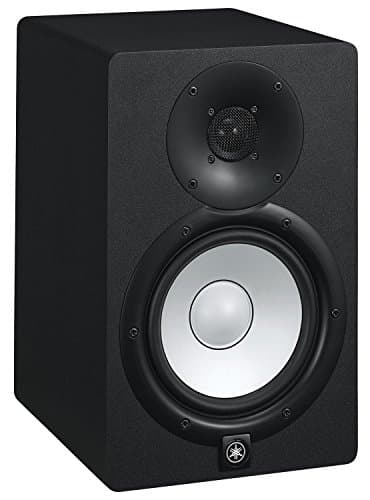
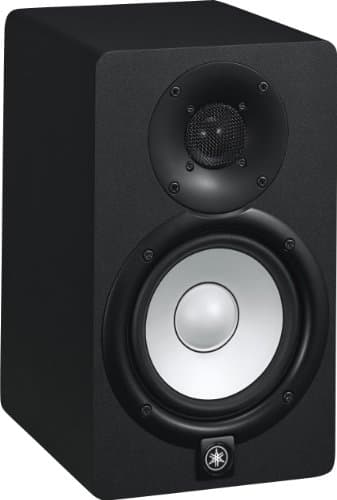
The Yamaha HS7 is the pick for guitar: 95 W of bi-amplification, a 6.5 inch woofer reaching 43 Hz, and the flattest midrange Yamaha makes - which is where every guitar tone decision actually lives. The budget pick is the Yamaha HS5, the same voicing in a smaller cabinet, which is the right buy when the room is small or untreated. Prices come from the daily price check and each button carries its own date.
Guitarists arrive at studio monitors from a different direction than mixers do, and it changes the ranking. An amp sim or a modeler outputs a full-range signal that was voiced through a cabinet impulse response, so the speaker is no longer part of the instrument - it is a window onto it. Two things follow. First, you play at playing volume rather than mixing volume, which means the monitor's amplifier and excursion limits matter in a way they do not for someone balancing a mix at 75 dB. Second, the frequency range where a guitar tone is won or lost - roughly 150 Hz to 4 kHz - is exactly where a monitor's midrange honesty shows, and a speaker with a flattering dip at 400 Hz will have you dialing in a tone that falls apart everywhere else.
The HS7 is ranked first on the combination of the second and third columns: a 6.5 inch driver with 60 W behind it has the excursion and the power to play a palm-muted low E at performance volume without the woofer running out of travel, and the HS voicing keeps the 150 Hz to 1 kHz region honest. The IN-5 has considerably more total amplification and is the better speaker for mixing the recording afterwards - it is second-to-middle here only because its 5 inch woofer and three-way crossover are optimized for a closer listening distance than a guitarist standing up with an instrument tends to use. The HS5 is the budget pick and the better choice in a bare room, where the HS7's extra low end mostly excites the room's own modes.
The five, ranked for playing through
Each card carries the published amplification and response figures with their sources, the live price with the date it was checked, and what the speaker asks of the room.
Yamaha HS7
Top pickYamaha · The HS voicing with usable low end
The upgrade once the room has bass traps in the corners. Bought before the treatment, it will simply show you your room's problems louder — which is why the HS5 is the better first monitor in a bare room.
Why it is here
- The same flat voicing as the HS5 with meaningfully more low-frequency reach
- 95 W means it stays clean at the level you actually mix at
- 2 kHz crossover keeps the vocal range on one driver
What it costs you
- A 6.5-inch woofer in an untreated bedroom excites room modes the HS5 never touches
- Needs more distance from the wall and from you than most desks allow
- Costs and weighs noticeably more than the HS5
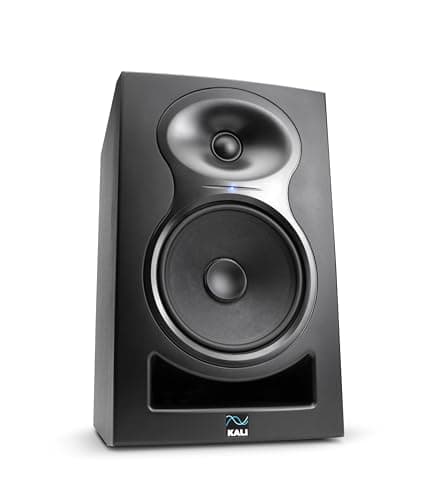
Kali Audio LP-6 V2
Kali Audio · The most low end per dollar, with boundary EQ
The best value here if you set the boundary EQ honestly and have corner traps in. In a bare bedroom with the switches left at default, the extra low end makes your mixes worse, not better, and the HS5 is the wiser buy.
Why it is here
- 47 Hz at +/-3 dB is real low end, not a marketing figure
- Boundary EQ switches on the back are the only honest answer to a speaker jammed against a wall
- 115 dB max SPL means huge headroom for a desk speaker
What it costs you
- That low-end reach is a liability in an untreated room — you will chase room modes, not mix decisions
- 6.5-inch driver in a small room needs the boundary EQ set correctly or it is worse than an HS5
- Paper cone is more fragile than the alternatives
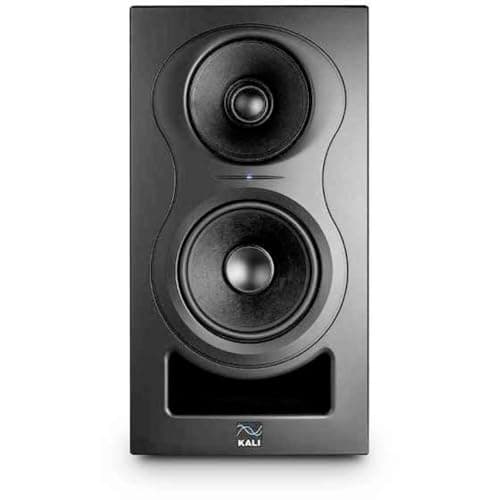
Kali Audio IN-5
Kali Audio · A coincident three-way at a two-way price
The pick if you sit close, move around while working and want a stable stereo image — that is exactly what coincident drivers buy. If your room is untreated, spend the difference on panels first; the IN-5 will not out-engineer your walls.
Why it is here
- The coincident mid and tweeter share an acoustic center, so the image does not move as you do
- Crossing over at 280 Hz keeps the woofer out of the vocal range entirely
- 160 W tri-amped, with the same boundary EQ as the LP-6
What it costs you
- Three-way complexity in a small room is often solving a problem the room is causing
- Deep cabinet needs a proper stand, not a desk edge
- Meaningfully more money than the LP-6 for the same published bandwidth
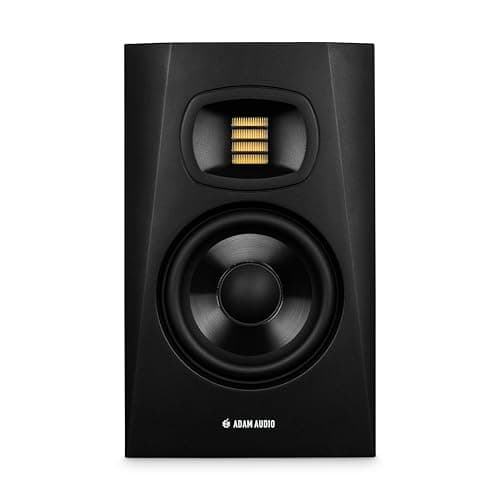
Adam Audio T5V
Adam Audio · Detail at the top, from a ribbon tweeter
Buy it if your work is voice and acoustic material where sibilance and reverb decisions matter, and you will listen at moderate levels. If you mix loud, or find bright speakers tiring, the HS5 is the safer reference.
Why it is here
- The ribbon tweeter resolves reverb tails and sibilance detail a dome cannot
- 45 Hz from a 5-inch cabinet is excellent
- Response to 25 kHz means no audible top-end rolloff at all
What it costs you
- That top-end detail is fatiguing over a long session until you adapt to it
- 20 W on the tweeter is modest if you mix loud
- Ribbon tweeters are less robust than domes if you clip them
Yamaha HS5
Yamaha · The flat midrange reference for a small room
The right monitor for an untreated or lightly treated small room, precisely because it does not pretend to have low end your room could not reproduce honestly anyway. If you need to hear below 74 Hz, add a treated room before you add a bigger speaker.
Why it is here
- The honest -3 dB figure of 74 Hz tells you what it will not do, which is rarer than it should be
- Midrange is flat and unflattering, which is the entire job of a monitor
- Small enough to sit at ear height on a desk without dominating the room
What it costs you
- Nothing below about 74 Hz, so you mix low end by trust rather than by ear
- Unforgiving — a rough mix sounds rough, which some people hate
- Rear port needs clearance from the wall
Getting an amp sim to sound like an amp
- Match the monitor level to the sim's cabinet block, not the master. Most sims clip internally long before your interface's output meter moves.
- Set the monitors up as a stereo pair at ear height, even if the sim is mono. A mono source through a correctly placed pair is far more convincing than a single speaker on a desk.
- Treat the room before you buy a bigger woofer. A low E at volume in a bare room is a modal problem, not a monitor problem - how to treat a room for recording is the diagnosis and best bass traps is the fix.
- Check the tone on headphones before you commit to it. Best closed-back headphones for recording covers the pairs that work for tracking.
- Keep your interface's latency under control. Playing through a monitor adds the acoustic delay of the room to the digital delay of the buffer. Best audio interfaces for guitar covers the boxes with the shortest round trip.
What we did not pick, and why
- The KRK Rokit 5 G5. The DSP room presets are genuinely useful and the voicing has a low-mid dip that flatters a guitar tone, which is exactly the wrong characteristic for a speaker you dial tones through. It is ranked on best studio monitors for gaming, where the voicing is an asset.
- A guitar cabinet with a power amp. A legitimate rig and a different product: it applies a second cabinet filter on top of the sim's, which is why sims sound dull through one.
- A full-range PA speaker. Louder and the right answer on stage, voiced for throw rather than for a flat response at three feet.
- A subwoofer. A guitar's fundamental on a standard-tuned low E is about 82 Hz, which every monitor here reproduces. A sub adds the room's worst behavior and nothing of the instrument.
- Anything with an 8-inch woofer in a bedroom. 5-inch vs 8-inch studio monitors explains why the bigger driver usually makes a small room worse.
How these are ranked
- Amplifier power and driver size together, because playing volume is the use case and both limit it.
- Midrange honesty. A flat 150 Hz to 4 kHz region, since that is where a guitar tone is decided.
- Published low end with its tolerance, so a -10 dB figure is never compared with a +/-3 dB one.
- What the speaker asks of the room. More low end in a bare room is a liability, not a feature.
- Buyable now, with a live Amazon listing and a price from the daily price check at the time this page was written.
Pair it with
- An interface with a real instrument input. Best audio interfaces for guitar.
- Stands, so the tweeters reach ear height. Best studio monitor stands.
- Corner absorption, before a bigger speaker. Best bass traps.
- A microphone, if you also record an acoustic. Best microphones for acoustic guitar.
One honest caveat. If you play loud in a small untreated room, the HS7 will show you the room before it shows you the amp sim, and the HS5 or a pair of headphones will get you to a better tone faster. Monitors reward treatment more than any other purchase on this site - the difference between the speakers on this page is smaller than the difference two bass traps make in a 10 by 12 foot bedroom.